



Practical ways to use Microsoft Copilot in executive meetings
Management meetings are often about making decisions, following up on the current situation, and planning for the future. At the same time, a lot of time can be spent preparing background material, documenting discussions, and managing the follow-up.
Microsoft Copilot can serve as support in several of these phases. By using Copilot in tools such as Teams, Outlook and PowerPoint, it becomes easier to work in a more structured way and to use meeting time more effectively.
Use Copilot in Outlook to prepare for the meeting
The preparations lay the groundwork for the entire meeting. Copilot in Outlook can make the work easier here. For example, you can:
- be Copilot to summarise email threads before the meeting
- Prepare a proposed agenda based on previous discussions
- identify questions that need to be raised.
This allows you to quickly get an overview of what's current. It also makes it easier to formulate an agenda that keeps the meeting on track.
Get support during your meeting in Microsoft Teams
Hybrid and distance meetings have become very common since the Covid pandemic, and Microsoft Teams is one of the more frequent tools used for this. During meetings, it's common for someone to need to take notes while the discussion is ongoing. This can make it harder to participate fully.
With Copilot in Teams, you can:
- Take minute-by-minute notes from the meeting.
- summarise what was said under different parts
- Highlight decisions and key points.
If someone joins late, it's also possible to quickly get a summary of what has already been discussed. This helps the group maintain momentum without needing to repeat things.
Create clear PowerPoint presentations
Presentations are often part of management team meetings, for example, when reviewing results or new initiatives. Copilot in PowerPoint can help you to:
- Convert text or documents to presentation slides
- Strukturera innehåll på ett tydligt sätt
- Shorten and simplify the message.
This allows you to produce material more quickly that is easy to follow during the meeting.
Use Copilot in workshops and longer meetings
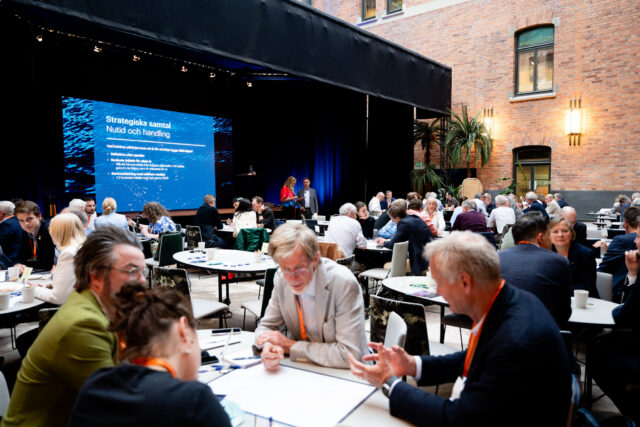
For longer meetings or workshops, where several issues are being addressed, it becomes extra important to maintain structure. This makes it easier to get an overview, even when a lot is covered in the same session. Copilot can then be used to:
- Break down content into clear sections
- summarise each block
- Gather insights that can be used further.
Follow up with participants without extra work
After the meeting, decisions and tasks need to be carried forward. It's common for work to drag on at this stage. With Copilot, you can:
- Get a ready-made meeting summary
- Create lists of actions and responsibilities
- Formulate follow-up emails directly.
This makes the next steps clear immediately after the meeting.
When technology and meeting environments interact
When management teams gather for a few hours or days of focused work, the whole picture becomes important. A clear agenda, the right tools, and an environment that supports the work ensure the meeting maintains pace and direction.
At IVA Conference Centre, the conditions are in place to work in this way. When the premises, technology, and meeting formats work together, it becomes natural to use digital tools like Copilot as part of the work – in presentations, discussions, and follow-ups.
Frequently asked questions about using Copilot in executive team meetings
Copilot kan användas i Outlook för möten på flera sätt, till exempel: * **Sammanfatta mötesinlägg:** Copilot kan automatiskt hämta och sammanfatta relevant information från tidigare möten, e-postmeddelanden och dokument relaterade till ett kommande möte. Detta hjälper dig att snabbt komma i kapp och förstå sammanhanget. * **Skapa mötesinbjudningar och agendor:** Medan du skriver ett e-postmeddelande kan Copilot föreslå text för mötesinbjudningar, inklusive potentiella tider och platser. Den kan också hjälpa till att skapa en mötesagenda baserad på ämnet och de deltagare du bjuder in. * **Föreslå deltagare:** Baserat på mötets ämne och det ämne du diskuterar i e-posten kan Copilot föreslå ytterligare personer att bjuda in som kan bidra med sin expertis. * **Skapa åtgärdspunkter:** Under ett möte kan Copilot identifiera identifiera och sammanfatta åtgärdspunkter och beslut som fattats och automatiskt generera ett e-postmeddelande med dessa för att skicka ut till deltagarna efter mötet. * **Skapa sammanfattningar av möten:** Efter ett möte kan Copilot generera en sammanfattning baserad på inspelningen, vilket sparar tid och säkerställer att all viktig information behålls.
In Outlook, Copilot can help summarise email threads, generate agenda suggestions, and highlight questions that need to be discussed.
Under ett möte kan Copilot i Microsoft Teams bland annat: * **Summera samtalet:** Få en snabb överblick över viktiga punkter, beslut och åtgärdspunkter som har diskuterats. * **Svara på frågor:** Ställ frågor om vad som har sagts under mötet, även om du kom sent eller missade en del av diskussionen. * **Generera anteckningar:** Be Copilot att skapa en sammanfattning eller anteckningar baserat på mötets innehåll. * **Få utskrifter:** Få en textbaserad utskrift av vad som har sagts. * **Hitta specifik information:** Sök efter specifika ämnen, kommentarer eller beslut som har tagits under mötet. * **Föreslå åtgärder:** Copilot kan identifiera och föreslå åtgärder baserat på diskussionen. * **Hjälpa till med mötesförberedelser:** Även om detta inte är *under* mötet, kan Copilot hjälpa till med att sammanfatta tidigare möten inför ett nytt, eller föreslå agendapunkter. Funktionerna kan variera beroende på din licens och hur Copilot är konfigurerat i din organisation.
Copilot can create notes, summarise discussions, and clarify decisions as the meeting happens, making it easier to stay focused.
Copilot kan hjälpa till i PowerPoint genom att: * **Skapa presentationer:** Du kan ge Copilot en enkel textprompt, till exempel "Skapa en presentation om fördelarna med hybridarbete", och Copilot kan generera en presentation med förslag på innehåll och layouter. * **Sammanfatta presentationer:** Om du har en lång presentation kan Copilot hjälpa till att sammanfatta nyckelpunkterna för att snabbt ge en överblick. * **Organisera bilder:** Copilot kan hjälpa till att omorganisera eller gruppera bilder baserat på teman eller information. * **Förbättra innehållet:** Copilot kan ge förslag på hur du kan omformulera text, lägga till relevanta detaljer eller förbättra tydligheten i dina bilder. * **Föreslå bilder och ikoner:** Baserat på innehållet på dina bilder kan Copilot föreslå relevanta bilder, ikoner eller grafik för att göra presentationen mer visuellt tilltalande. * **Skapa talarnoter:** Du kan be Copilot att generera talarnoter för varje bild för att hjälpa dig förbereda ditt framförande.
Copilot can transform text into presentations, structure content, and clarify messages without you having to spend time on the design.
Yes, it is possible to use Copilot in longer meetings and workshops.
Yes, Copilot can break down content into clear sections, summarise each part, and help capture what comes up during the meeting.
Copilot makes follow-up after a meeting easier by generating summaries and action items.
Copilot can create ready-made summaries, generate to-do lists, and help formulate follow-ups, allowing work to progress more quickly.