



A handy technology checklist to remember for your conference
Organising a conference involves many details to consider. Technology is an important element that can create a smooth and professional experience for both speakers and participants.
Here is a handy checklist to ensure that everything you need for your meeting is in place.
Audio and video
- Microphones: Do you have wireless or fixed microphones? Do you need microphones for all speakers or just for panel discussions?
- Loudspeakers: Make sure that the sound reaches all participants in the room. Test the sound level in advance.
- Projector and screen: Check that the projector has the right brightness and resolution for the room. Make sure the screen is the right size and position.
- Cables and adapters: Have a set of cables and adapters to connect all equipment.
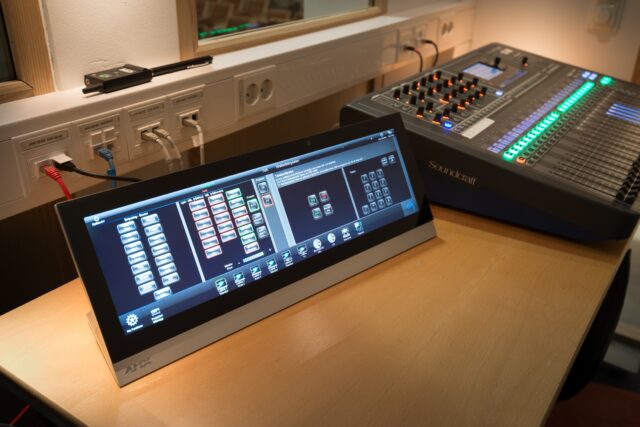
- Sound mixer: Used if you have multiple audio sources, such as microphones and music.
Presentations
- Presentation software: Make sure you have the latest version of the software and that all speakers have it installed.
- Format: Check that presentations are in the correct format and that fonts and images are clear.
- Test drive: Test the presentations beforehand on the premises to ensure that everything works properly.
Interactivity
- Microphones for the audience: If you want to have the opportunity for questions from the audience, make sure you have microphones available. Preferably one person responsible for this.
- Voting system: Used for votes or questions from the audience. Very common at general meetings.
- Apparatus: Used for real-time interactivity, such as questions and answers or quizzes.
Streaming and recording
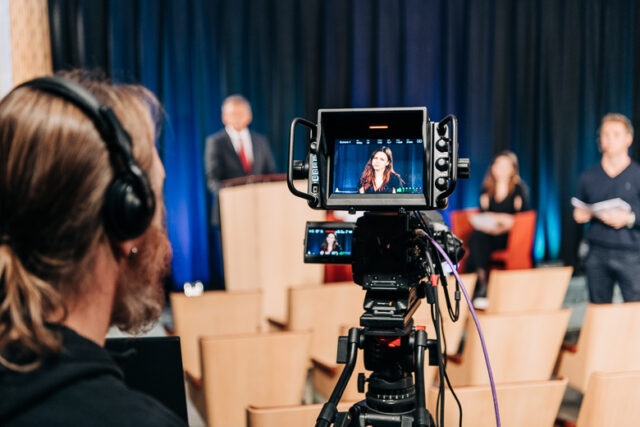
- Streaming: If you want to broadcast the conference live online, make sure you have the right technical conditions and a fixed internet connection.
- Recording: If you want to record the conference to watch it afterwards, make sure you have the right technology.
Other
- Power cables: Make sure you have enough power cables for all equipment.
- Technicians: Hire a technician who can provide installation and support during the conference.
- Test drive: Test all technologies in advance to avoid problems during the conference.
Technical tips for the conference
- Start planning your technique well in advance.
- Make a budget for the technology.
- Hire a conference technology provider that can offer support and service. This is what you get when you choose to hold your conference with us at IVA Conference Centre.
- Test all the technology in advance, preferably in the same room as the conference.
- Have a backup plan in case something goes wrong.
The most important thing to remember is that technology is a tool to convey your message. Make sure it does not become a distraction.